


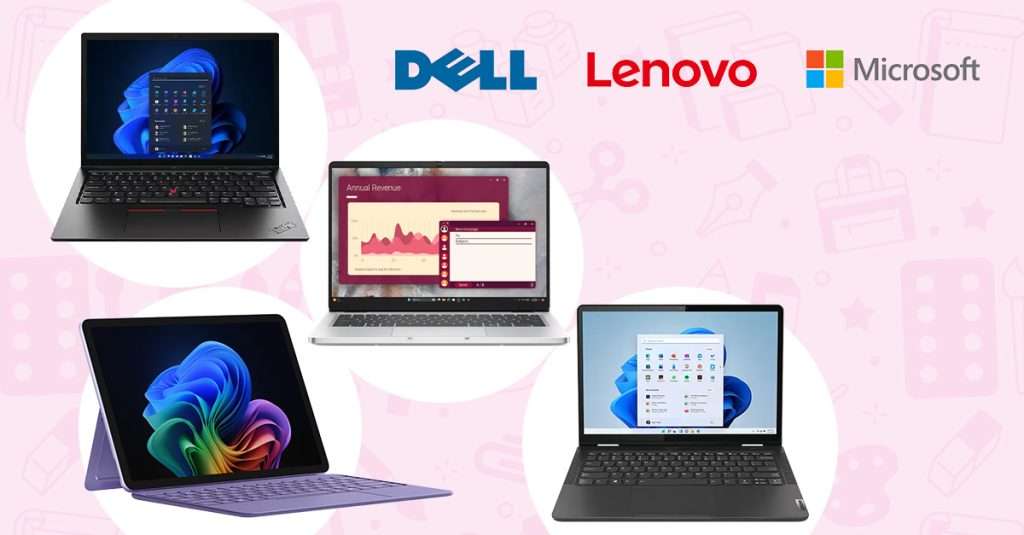

Choosing the right laptops for students and educators in independent schools is no longer a simple tick-box exercise. Devices need to cope with daily classroom use, support modern teaching and learning tools, and still be easy for IT teams to deploy and manage at scale.
Drawing on Devices for Education’s real-world experience across UK independent schools, here are the top laptops we recommend. We’ve also broken down the key features to look for, so you can make confident, practical decisions that work for both classrooms and IT teams.
Top Laptops for Schools in 2026
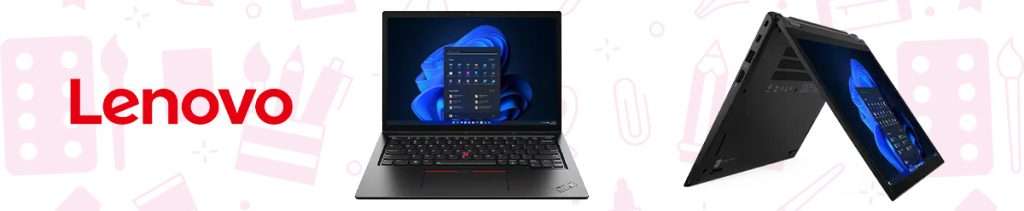
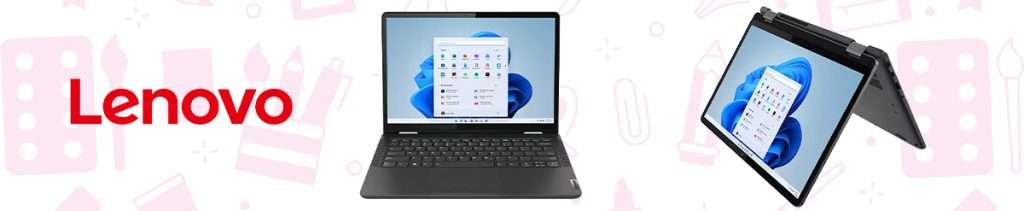
1. Lenovo ThinkPad L13 2‑in‑1
Premium Choice for Independent Schools
Why It’s Great for Schools
Extremely durable – MIL‑spec tested for classroom knocks and drops.
Built‑in world‑facing camera – ideal for capturing experiments, artwork, and project evidence.
Integrated pen garage – stylus is always stored safely inside the device (no lost pens).
Highly reliable – Lenovo’s education‑focused devices are known for ruggedness, secure design, and repairability.
AI‑optimised performance – faster collaboration tools, enhanced security, and smoother multitasking in the latest Gen 6 model.
Best For
Schools wanting a premium, long‑lasting, stylus‑friendly Windows device for digital ink, STEM tasks, art, and teaching demonstrations.
2. Lenovo 13W Yoga
Best Value 2‑in‑1 for Schools
Why It’s Great for Schools
Affordable alternative to the L13 without losing key classroom features.
Pen support for handwritten notes, illustrations, equations, and annotation work.
World‑facing camera for project documentation.
Flexible 2‑in‑1 mode – laptop, tablet, tent, or presentation.
Purpose‑built for education, designed to be durable, secure, and digital‑learning ready according to Lenovo’s education guidance.
Best For
Schools wanting strong performance and digital‑ink functionality at a more accessible price.
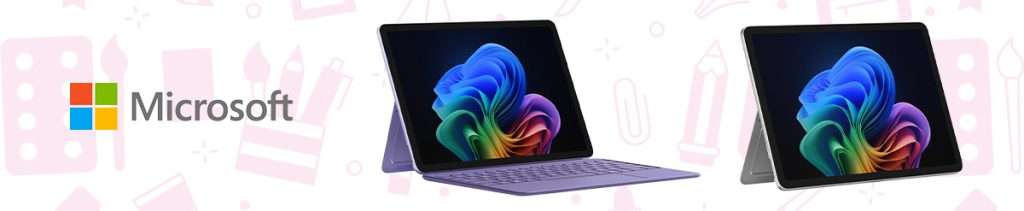
3. Microsoft Surface Pro 12"
Premium Detachable for Teaching & Learning
Why It’s Great for Schools
Super lightweight and ultra‑portable – easy for pupils and teachers to carry between classes.
The detachable keyboard makes it both a full laptop and a tablet.
Exceptional handwriting experience – perfect for subjects requiring digital pen work.
Consistently ranked among top student‑focused devices, praised for versatility and hybrid learning support.
The world‑facing camera adds value for creative subjects, digital portfolios, and capturing classroom activities.
Best For
Schools that prioritise portability, premium design, and the flexibility of a tablet‑laptop hybrid.
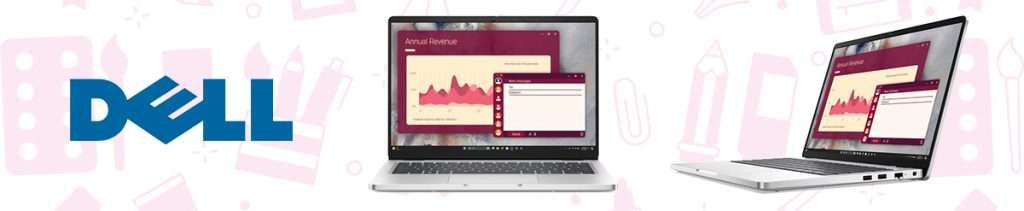
4. Dell Pro 14
Best Traditional Laptop Option
Why It’s Great for Schools
Classic clamshell laptop that’s simple, durable, and dependable.
Strong performance for multi‑app classroom use, admin work, and teaching resources.
Frequently ranked among the top Windows laptops for overall value and capability.
Ideal for departments that don’t need touchscreens or tablet functionality.
Best For
Departments or staff needing a straightforward, durable, high‑performance laptop without tablet features.
Features to Look for When Choosing School Laptops
Durability & Build Quality
School laptops are handled all day and are moved between classrooms, packed into bags, and used by students of different ages. Devices need to be built to handle this level of wear without constant repairs or replacements.
Look for laptops that meet MIL-spec durability standards, with features such as reinforced hinges, spill-resistant keyboards, and robust outer casings.
Many education-focused models are designed specifically for school environments, with extra attention paid to heat management, internal protection, and ease of repair.
Battery Life for a Full School Day
Reliable battery life is essential in busy school environments where charging access may be limited. A good education laptop should comfortably last 8–10 hours on a single charge, allowing students and teachers to move between lessons without worrying about power.
The modern school-ready devices we’ve highlighted in this post are designed to support all-day use, reducing disruption in the classroom.
Secure, Education‑Ready Operating Systems
Schools benefit from platforms that offer:
Built‑in security protections
Easy management
Compatibility with classroom apps
Windows devices, particularly Windows 11 for Education, offer strong security features alongside accessibility and inclusivity tools, helping schools support a wide range of learning needs while maintaining control and compliance.
Portability & Weight
Students, especially younger pupils, benefit from devices that are lightweight and easy to carry throughout the day. Laptops that are too heavy can be uncomfortable and more likely to be dropped or damaged.
Slim laptops and detachable devices such as the Microsoft Surface Pro 12″ remain popular in schools, offering a good balance between portability, screen size, and performance.
Touchscreens, Stylus Support & World‑Facing Cameras
Many independent schools now rely on digital tools for note-taking, diagramming, creative work, and collaboration. Touchscreens and stylus support allow students to write naturally, annotate documents, and engage more actively with learning materials.
Devices such as the ThinkPad L13 2‑in‑1 and Surface Pro excel here because of:
Integrated pen garages
High‑quality touchscreens
World‑facing cameras for capturing work, projects, whiteboards, and experiments
Easy Maintenance & Repairability
From an IT perspective, laptops need to be easy to maintain and repair. Devices with modular components, accessible parts, and strong manufacturer support help schools minimise downtime when issues occur.
Education-focused devices are often designed with faster repairs in mind, allowing parts to be replaced quickly without sending devices away for long periods.
Performance & Storage Capacity
While most school tasks, such as web browsing, document editing, and using classroom apps, are not highly demanding, it’s important to choose laptops that won’t feel outdated too quickly.
Look for devices with modern processors, reliable multitasking performance, and enough storage to support several years of use. Increasingly, 512GB of local storage is recommended to ensure devices remain usable as software requirements grow and more learning materials are stored locally.

How Devices for Education Simplifies School IT Management
For independent schools, managing hundreds of devices on tight budgets and limited IT staffing can be a huge challenge. This is where Devices for Education transforms the process.
✔ Device‑as‑a‑Service = Predictable Budgeting
Instead of large upfront purchases, schools can spread costs monthly with no hidden charges. Devices can be refreshed or scaled as enrolment fluctuates.
✔ Zero‑touch Deployment & Setup
We pre‑configure devices so they arrive ready for students or teachers straight out of the box, reducing IT workload dramatically.
✔ Full Lifecycle Support
Our team handles repairs, replacements, warranty issues, and upgrades, removing admin burden from internal IT teams.
✔ Flexible Device Switching
Easily swap devices as your curriculum or staff requirements change.
✔ Dedicated Support for Independent Schools
Our education specialists will tailor a device strategy aligned with your school’s academic goals, safeguarding needs, and long‑term planning.
Ready to simplify your school’s device strategy? Build a flexible, future‑proof, tailored device solution with Devices for Education.
Final Thoughts
The best laptops for independent schools in 2026 combine durability, usability, digital‑ink capability, and simple management. The Lenovo ThinkPad L13 2‑in‑1, Lenovo 13W, Surface Pro 12″, and Dell Pro 14 each offer standout advantages for different teaching and learning environments.
Paired with Devices for Education end-to-end DaaS solution, your school can enjoy powerful, education‑ready devices without the headache of procurement, setup, or maintenance.

Steve Hill has been a cornerstone of HardSoft since 2005, bringing two decades of experience in leasing Apple devices and delivering tailored tech solutions to businesses across the UK. As HardSoft’s go-to expert in cybersecurity, Steve specialises in Sophos and Barracuda software, helping clients safeguard their operations with confidence. Steve’s passion for tech, teamwork, and trusted solutions makes him a valued voice on the HardSoft blog.
LinkedIn: Steve Hill
Email: [email protected]
Tel: 0204 566 8856