



Quick Summary
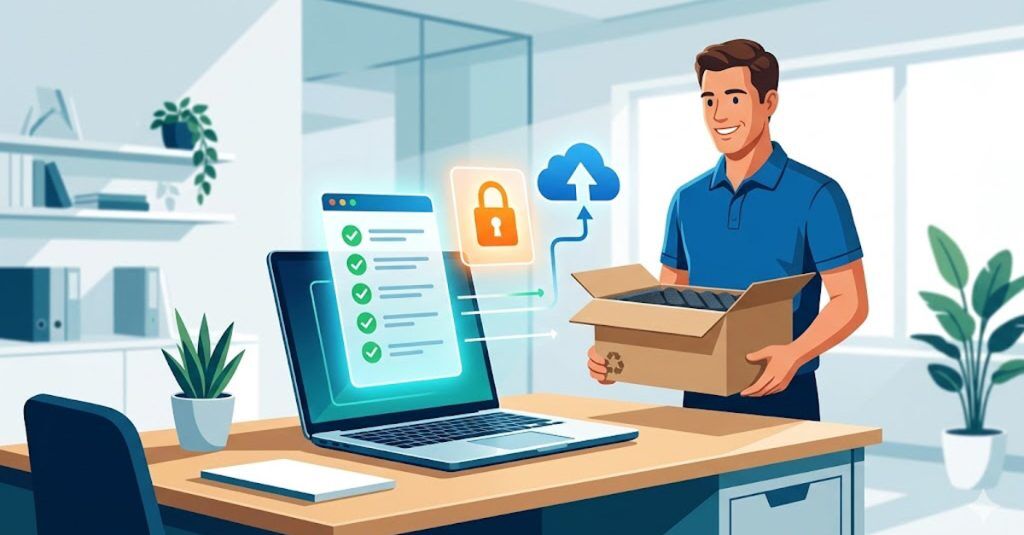
IT offboarding is the sequence of technical steps that protect your business when an employee leaves, covering access revocation, data backup, device retrieval, secure wiping, and asset redeployment. This checklist gives IT managers and HR/People Ops teams a shared framework with clear ownership at every stage, from the moment a leaver is confirmed to the point their device is wiped, returned, and ready for reuse.
Why IT Offboarding Is Just as Important as Onboarding
Every business offboards employees. Not every business does it well. Done properly, IT offboarding protects your business, safeguards your data, and maximises the return on your technology investment. It is the mirror image of IT onboarding, and the two processes should be treated with equal rigour.
This checklist is designed for IT managers and HR/People Ops teams to use jointly. Offboarding spans both functions: HR owns the people process, IT owns the technical process. A shared framework prevents things from falling through the gaps.
Why Trust Us?
Devices for Teams manages the full device lifecycle for thousands of UK businesses, including the part most companies get wrong: getting hardware back from leavers.
Our Boomerang retrieval service handles collection, secure wiping, and redeployment so that offboarding does not end with a missing laptop and a write-off. With 40+ years in the industry, accredited partnerships with Apple, Microsoft, and Samsung, and a 4.9-star Trustpilot rating across 1,500+ verified reviews, we have built the processes this checklist is based on.

Why Is IT Offboarding So Important?
Most businesses have a formal IT onboarding process. Far fewer have one for offboarding, and that gap creates real exposure.
When an employee leaves, whether through resignation, redundancy, or end of contract, a series of actions need to happen quickly and in a specific sequence. Get it wrong and the consequences stack up fast:
Security exposure. Revoke access too slowly and you leave sensitive systems open to a former employee. Industry data consistently shows that a significant proportion of data breaches involve former employees or contractors whose access was not properly removed.
Lost hardware. Skip the device retrieval step and you are writing off equipment that still has years of useful life. Businesses running manual, ad-hoc offboarding processes routinely fail to recover 10-20% of their device fleet each year.
Lost data. Fail to back up critical files before wiping a device and you lose work that may be irreplaceable, along with the client context and project knowledge stored on that machine.
No audit trail. Without documentation, there is no way to verify offboarding was completed correctly. In the event of a post-departure data breach, that means compliance risk and potential legal exposure.
A structured offboarding process eliminates these risks and creates a clear record at every step. It also means your HR team is not chasing IT, and your IT team is not scrambling to catch up on someone’s last day.
How to Prepare for IT Offboarding
Step 1: Confirm and Communicate the Leaver Details
The process begins the moment a leaver is confirmed. HR should notify IT immediately with the following:
Employee name, role, and department
Last working day
Whether they are remote, hybrid, or office-based
Whether they hold admin or elevated system privileges
Any devices currently in their possession (laptop, phone, tablet, peripherals)
A shared intake form, mirroring the one used for onboarding, is the most reliable way to capture this. It removes ambiguity, creates a record, and triggers the IT workflow automatically.
If you use Devices for Teams for your device fleet, our self-serve portal gives IT managers a real-time view of every device assigned across your organisation, including serial numbers, assigned users, and contract status, making it straightforward to kick off a retrieval.
Step 2: Assign Offboarding Responsibilities
Before anything technical happens, agree on who owns each part of the process. Offboarding failures often come down to assumptions: IT assumed HR had communicated the leaving date; HR assumed IT had already revoked access. Clear responsibility assignment prevents this.
IT Manager owns access revocation, device retrieval coordination, data backup, and secure wiping
HR/People Ops owns communication with the leaver, return of company property, and final payroll checks
Line Manager is responsible for knowledge transfer and notifying relevant internal stakeholders
The IT Offboarding Checklist
Use this checklist for every leaver. Each step is assigned to a primary owner (IT or HR), though many require both teams to coordinate.
Stage 1: Access Revocation
This is the most time-critical stage. Access should be revoked on or before the employee’s final day, depending on your organisation’s policies and the sensitivity of the systems involved. For employees leaving under difficult circumstances, access revocation may need to happen immediately upon notice.
If your organisation uses Mobile Device Management (MDM), tools such as Microsoft Intune or Shepherd MDM allow you to remotely lock and wipe devices instantly. This is especially valuable for remote leavers or situations where immediate access removal is required.
Stage 2: Data Backup and Knowledge Transfer
Before any accounts are closed or devices wiped, preserve business-critical data. This is a joint responsibility: HR facilitates the handover conversation with the leaver, while IT handles the technical backup.
Do not skip the knowledge transfer step. The technical backup preserves files, but the contextual knowledge in a leaver’s head (client relationships, project status, process workarounds) requires a deliberate conversation before their final day.
Stage 3: Device Retrieval
Recovering hardware is one of the most operationally challenging parts of offboarding, particularly for remote or hybrid employees. A clear retrieval process, with advance notice to the leaver and a reliable logistics partner, is essential.
With Boomerang, you get zero-touch device retrieval. We handle collection logistics end to end, whether the departing employee is in London, Manchester, or anywhere else in the UK. You do not need to coordinate couriers or chase employees for returns. We collect the device, inspect it, and return it to secure storage ready for redeployment to your next hire.
Stage 4: Secure Device Wiping
Once a device has been retrieved, it must be securely wiped before it is redeployed, stored, or disposed of. This protects both the business and the former employee’s personal data.
Boomerang includes professional secure wiping as standard. Every retrieved device is wiped to data-destruction standards before it re-enters the pool, giving you a documented, auditable process without placing the burden on your internal IT team.
Stage 5: Asset Redeployment and Storage
A wiped, inspected device is a ready-to-deploy asset. The final stage of offboarding is deciding what happens next: whether the device goes straight to a new starter, into buffer stock for future hires, or into long-term storage.
With Boomerang, retrieved devices do not sit in a cupboard or get lost in transit. We provide secure, climate-controlled storage for your hardware between deployments. When your next joiner starts, the device comes back to them pre-configured and ready to go, turning your offboarding process directly into onboarding efficiency.
Stage 6: Licence Reclamation and Subscription Audit
Every leaver represents an opportunity to audit your software spend. Licences that are not reclaimed after offboarding are a direct drain on budget.
Stage 7: Final Sign-Off and Documentation
Offboarding is only complete once it is formally documented. This protects the business in the event of a dispute, an audit, or a data breach investigation.
Common IT Offboarding Challenges and How to Overcome Them
1. Late Notice from HR
When IT receives short notice of a leaver, the risk of rushed or incomplete access revocation rises significantly. Solve this by establishing a formal SLA between HR and IT: a minimum of five working days’ notice for standard leavers, with an escalation protocol for immediate departures.
2. Remote Employees Not Returning Devices
Without a managed retrieval service, remote employees can be difficult to chase for hardware returns. Clear communication from HR about the return expectation, ideally included in the employment contract and reiterated at offboarding, helps. A managed service like Boomerang removes the burden entirely by handling collection logistics directly.
3. Unrecorded Software Licences
If your organisation does not maintain a current software asset register, it is nearly impossible to know which licences need reclaiming. Offboarding is the consequence of that gap; the fix is maintaining an accurate register at all times, updated with every joiner and leaver.
4. Incomplete Data Handover
Files stored locally on a device, rather than in the cloud, can be lost if the data backup step is skipped or rushed. Encouraging employees to work in cloud-based environments throughout their tenure makes offboarding far simpler and reduces the risk of losing critical work.
5. No Audit Trail
Without documentation, there is no way to verify that offboarding was completed correctly. This creates compliance risk and, in the event of a post-departure data breach, significant legal exposure. Every step of this checklist should be timestamped and stored.
Make IT Offboarding Part of a Seamless Device Lifecycle
The most efficient IT teams treat onboarding and offboarding as two halves of the same process. When a device leaves an employee’s hands via a structured retrieval, it should move seamlessly into a secure storage queue and back out again to the next new starter, with no gaps, no manual chasing, and no unnecessary hardware spend.
At Devices for Teams, we handle the entire device lifecycle under one monthly payment, from first deployment to final retrieval and redeployment. Our Boomerang service takes care of device collection, secure wiping, and storage, so your IT and HR teams can focus on the people side of offboarding rather than the logistics.
Speak to our team or use our solution configurator to build a package that fits your organisation.

Andrew Morgan is Co-Founder of HardSoft Computers, where he’s spent over 30 years driving innovation in tech leasing. With a focus on making IT solutions flexible and accessible, Andrew leads strategy across product development, SEO, and digital marketing.
He’s passionate about helping businesses thrive with the right technology and regularly shares insights on the HardSoft blog.
LinkedIn: Andrew Morgan
Email: [email protected]