



Quick Summary
This guide explains how businesses can streamline IT onboarding to boost productivity, security, and employee satisfaction. It covers key steps like device provisioning, account setup, automation, remote deployment, and lifecycle management.
With a structured onboarding process, companies can reduce downtime, support hybrid teams, and scale efficiently. To learn more about our onboarding and IT services, visit our blog.
Looking to Get Started with IT Onboarding?
Every business hires new employees, but not every business is ready to onboard them effectively. From day one, a smooth IT onboarding process determines how quickly and securely your team can start doing meaningful work.
A delayed device shipment, missing software access, or a weak setup process can lead to frustration, downtime, and security risks.
IT onboarding isn’t just handing over a laptop. It’s about delivering the right tools, configuring systems securely, and supporting your people so that they can hit the ground running.
In this Devices for Teams guide, we’ll break down what IT onboarding involves, why it matters, and how you can streamline the entire process, especially if your team is growing fast.

Why Listen to Us?
At Devices for Teams, IT onboarding is what we do every single day. We’ve helped lots of UK businesses, from scale-ups to established enterprises, onboard thousands of employees across remote, hybrid, and office-based teams.
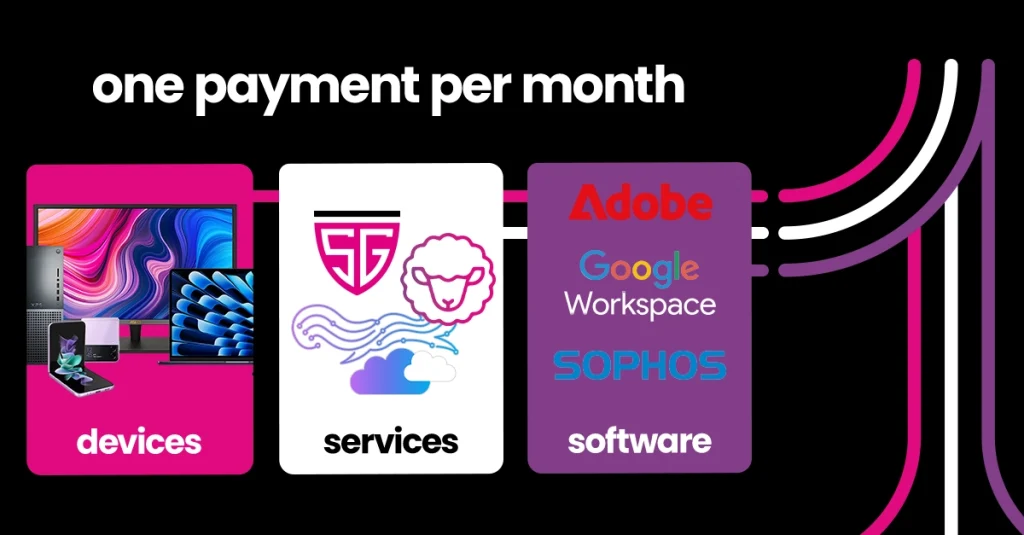
Our all-in-one solution combines hardware, software, deployment, and support under one monthly payment, making us more than just a device provider. We handle every part of the IT lifecycle, including joiners, movers, and leavers, with expert-managed logistics, pre-configured devices, and mobile device management built in.
What is IT Onboarding?
IT onboarding is the process of setting up a new employee with the technology they need to start working quickly, securely, and with minimal friction. It includes delivering and configuring devices, setting up user accounts, assigning access to tools and systems, and ensuring data security from day one.
IT onboarding ensures that every device is enrolled in the right systems, every user has access to the correct software, and everything complies with your company’s security policies.
When you do it well, it boosts productivity, improves employee satisfaction, and reduces the burden on your internal teams. Done poorly, it leads to lost time, increased IT tickets, and greater risk. For growing companies, having a reliable onboarding process is important to scale efficiently and support hybrid or remote work.
Key Steps to Efficient IT Onboarding
1. Plan Early and Collaborate Across Teams
The IT onboarding process starts well before the employee’s first day. As soon as an offer is accepted, HR should notify IT with key details:
- Start date
- Job role and department
- Required software and tools
- Location (remote, hybrid, or office-based)
A shared intake form or workflow between HR and IT can streamline this step and prevent last-minute scrambling.
2. Standardise Device Packages by Role
Not every employee needs the same setup. Creating pre-defined device kits based on role makes procurement and configuration much easier. For example:
- Design roles: Apple devices like MacBook Pro, Adobe Creative Cloud, external monitor
- Sales roles: Lightweight Windows laptop, CRM access, headset
- Field staff: Rugged tablet, MDM-enabled, mobile connectivity
Standardising kits helps scale your onboarding process and ensures consistency across departments.
3. Use Zero-Touch Deployment for Remote Setup
Zero-touch deployment means the employee receives a fully configured device that’s ready to use out of the box. No manual setup, no IT involvement on-site.
When you use Mobile Device Management (MDM) tools like Microsoft Intune or Shepherd MDM, you can remotely:
- Enrol and configure the device
- Push security policies and applications
- Set access permissions
- Encrypt data and apply compliance settings
The employee simply logs in, and everything installs automatically. It’s ideal for remote or hybrid teams, and drastically reduces setup time and errors.
4. Automate Account Creation and App Provisioning
Manual account setup is slow and prone to mistakes. Automating this step ensures every new hire receives the correct logins and software access with zero delay.
Use automation tools or scripts to:
- Create email and communication tool accounts (e.g., Microsoft 365, Slack)
- Assign software licenses (e.g., Zoom, Adobe, CRM platforms)
- Pre-load role-specific apps
- Configure cloud storage and shared folders
A centralised directory and role-based templates can streamline this even further.
5. Apply Security and Compliance Standards from Day One
Cybersecurity starts the moment a device is switched on. Make sure every onboarding workflow includes:
- Mandatory multi-factor authentication (MFA)
- Full-disk encryption
- Endpoint protection and antivirus
- Restricted access to sensitive systems
- Remote wipe capability
By enforcing policies through MDM and automation, you reduce the risk of human error and keep your data protected, especially important for businesses in regulated industries.
6. Provide a Clear Welcome Pack
New starters should know exactly what to expect. Alongside their device, include a digital or physical welcome guide that covers:
- Login credentials
- System access details
- Password manager instructions
- IT support contact info
- Security guidelines
- Links to internal tools and documentation
This reduces confusion, cuts down on support requests, and helps the employee feel supported from the start.
7. Schedule First-Day Support and Check-Ins
Even with automation, the first 24–48 hours are when most questions and issues arise. Provide dedicated support channels for new starters, such as:
- A scheduled call with IT
- Live chat availability
- FAQ pages or helpdesk articles
This ensures problems get resolved quickly and prevents unnecessary downtime.
8. Track Devices and Inventory
Knowing where your assets are and who has them is important. Implement an IT asset management system to:
- Track devices from delivery to return
- Monitor usage and performance
- Flag outdated or underused equipment
- Keep records for insurance and audits
This becomes especially valuable when employees leave or change roles.
9. Plan for Offboarding and Device Reuse
Every onboarding process should include a plan for eventual offboarding. That means:
- Securely retrieving devices from leavers
- Remotely wiping data
- Storing or reassigning hardware
- Reclaiming software licenses and access
A strong offboarding process protects your business and maximises the value of your IT investment.
10. Collect Feedback and Improve the Process
Finally, ask for feedback after onboarding. A short survey can highlight friction points and opportunities to improve. Consider questions like:
- Was your device delivered on time and ready to use?
- Did you have access to the tools you needed?
- How would you rate the onboarding experience overall?
Continuous improvement ensures your process evolves as your business grows.
Common Challenges in IT Onboarding and How to Overcome Them
Even with a well-designed IT onboarding plan, many businesses face common hurdles that slow down new hires and strain IT teams.
Understanding these challenges can help you proactively solve them and create a smoother onboarding experience.
1. Delayed Device Delivery
One of the biggest bottlenecks is the late or incomplete delivery of devices. This can leave new employees waiting days or weeks before they can start working.
To avoid this, partner with a provider like Devices for Teams, which offers pre-configured, zero-touch deployment and reliable, direct-to-desk shipping, eliminating manual setup and shipping delays.
2. Misaligned Cross-Team Communication
Onboarding requires coordination between HR, IT, and operations. When communication is delayed, IT teams scramble to provide access or ship equipment on short notice.
Streamline this by establishing shared workflows or intake forms that automatically notify IT about new hires’ roles, start dates, and location details.
3. Inconsistent Device Configurations
Without standardised role-based device packages and software images, onboarding can become error-prone, causing wasted time troubleshooting incompatible setups.
Using device templates and MDM policies ensures each new hire gets the exact apps, security settings, and permissions they need right from the start.
4. Security Gaps in Setup
New devices that lack basic security controls open companies to data breaches. Common pitfalls include missing encryption, lax access controls, or weak multi-factor authentication.
Enforce security policies centrally through MDM platforms, and automate baseline security configurations to lock down devices before they’re delivered.
5. Limited New Hire Support
Even with automation, new users often have questions or technical issues during their first days. Without dedicated onboarding support channels, these issues cause frustration and increased helpdesk tickets. Providing scheduled IT check-ins, easy-access chat support, and clear documentation helps new employees feel supported and confident.
By identifying these pitfalls early and partnering with a managed service like Devices for Teams, companies can avoid onboarding delays, security risks, and operational bottlenecks, building a seamless, scalable IT foundation for growth.
Streamline Team Onboarding with Devices for Teams
Efficient IT onboarding is critical to ensuring new employees are productive, secure, and supported from day one.
This guide has outlined the key steps to success: early planning, standardised setups, automation, strong security, and seamless offboarding. When done right, IT onboarding saves time, reduces risk, and enhances the overall employee experience.
Devices for Teams makes this process simple. We deliver pre-configured devices, manage the entire onboarding lifecycle, and offer in-house support and MDM, all under one monthly payment.
Book a call with our team to learn how we can streamline IT onboarding across your business.

Job Title: Website Coordinator
LinkedIn Link: https://www.linkedin.com/in/lauren-millar-09b085198/
Specialise in: Digital Marketing, Website
Interests: Going to the gym, Socialising with friends