





Quick Summary
Mobile Device Management (MDM) allows organisations to manage and secure company devices from a central system. It supports businesses using leased devices or Device as a Service by improving security, compliance, and day-to-day control.
This guide explains what MDM is and how it simplifies device management.
What is Mobile Device Management?
Mobile device management (MDM) is the process of managing and securing company devices such as smartphones, tablets, and laptops from a central system. It allows IT teams to control access, apply security settings, and manage devices remotely, even when employees work outside the office.
For organisations that lease devices, MDM is especially important. It protects business data on hardware the company does not own and ensures devices remain secure and recoverable throughout the contract term.
Why Mobile Device Management is Important When You Lease Devices for Your Team
Protect Company Assets You Don't Own
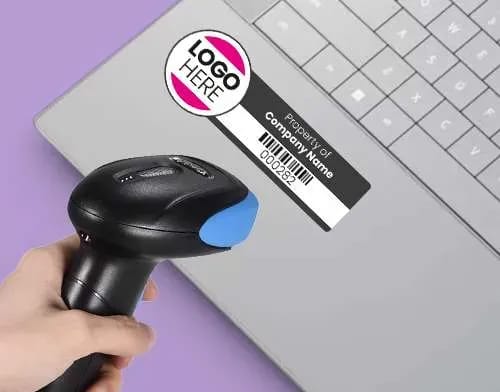
When you lease laptops, tablets, or smartphones, you are responsible for how those devices are used and protected. Mobile Device Management helps you track devices, restrict access, and act quickly if something goes wrong.
If a device is lost or stolen, MDM allows you to lock it remotely or wipe company data to prevent exposure. This reduces financial risk, protects sensitive information, and provides clear evidence that appropriate security controls were in place.
Maintain Security Compliance Across Your Fleet
Regulations such as GDPR require organisations to protect personal and business data on every device, including leased hardware. Mobile Device Management helps enforce security controls such as encryption, access policies, and software updates across your fleet.
MDM also supports contractual compliance. Many device subscription providers require it as part of their service, making it a practical requirement as well as a security measure.
Streamline Device Onboarding and Offboarding
Managing leased devices becomes harder as teams grow and change. MDM simplifies onboarding by ensuring new starters receive devices that are already configured with the correct settings and access.
When someone leaves, IT teams can remotely remove company data before the device is returned. This reduces manual work and helps keep device handling consistent across the organisation.
Reduce Support Costs for Leased Devices
Mobile Device Management allows IT teams to diagnose and resolve issues remotely. Configuration changes, updates, and fixes can be applied without collecting the device or interrupting the user.
For organisations leasing devices across multiple locations or supporting remote staff, this reduces downtime and limits delivery costs.
How We Deliver MDM as Part of Our DaaS Offerings
- MDM Included at No Additional Cost: Our DaaS service includes access to established MDM platforms such as Shepherd MDM, Microsoft Intune, and Jamf. This removes the need for separate per-device MDM licences and keeps costs predictable. Platform choice depends on your operating systems and internal requirements.
- Zero-Touch Device Enrolment: All devices are enrolled into your chosen MDM before they are delivered. When a user switches on their device for the first time, it connects automatically, applies security settings, and installs required software without IT involvement.
- Pre-configured Before Delivery: Devices are prepared in advance with business applications, email, VPN access, and security certificates. Combined with MDM, this allows users to sign in and work immediately, whether they are office-based or remote.
- Ongoing Management and Support: Our UK-based support team manages both the devices and the MDM environment. This includes applying policy changes, resolving issues remotely, and securely removing data from devices when employees leave.
- Seamless Integration with Device Lifecycle Management: When devices reach the end of their lease or are returned, MDM ensures data is wiped, access is removed, and the device is ready for reuse or disposal. This process, tracked through our device lifecycle management system, protects data and provides detailed audit trails for compliance.
Checklist for Choosing an MDM Solution for Leased Devices
Not every Mobile Device Management platform is designed for leased devices. Use this checklist to evaluate whether a solution fits a device leasing MDM or Device as a Service model.
- Device Compatibility: Ensure the MDM supports all devices you plan to lease, including laptops, tablets, and smartphones across different operating systems and manufacturers such as Apple, Lenovo, Dell, or other brands.
- Ease of Deployment: Look for an MDM solution that can be deployed before devices are delivered. Pre-enrolment is essential for a smooth mobile device management subscription service, ensuring devices are ready to use on arrival.
- Remote Management: Choose an MDM that offers remote capabilities like remote lock, wipe, and app management. This ensures you can manage devices even when they are not physically in your office.
- Security Features: A strong device leasing MDM solution should enforce encryption, access controls, and software updates. It must also support compliance with UK and EU regulations, including GDPR.
- Clear and Usable Interface: A complicated MDM interface can slow down your IT team’s ability to manage devices effectively. Choose a solution that offers an intuitive, user-friendly dashboard with easily accessible settings.
- Scalability: As your business grows, so will your device management needs. Ensure the MDM solution can scale to accommodate additional devices or employees. A solution that grows with your business will help you avoid future migration hassles.
- Support and Customer Service: An MDM solution is only as good as the support team behind it. Check whether the provider offers responsive customer service, including remote troubleshooting, training, and ongoing support.
- Cost-Effectiveness: Compare pricing models for the MDM solutions you’re considering. Look for a solution that fits your budget while offering the features you need. Consider subscription-based models that provide ongoing support and updates at a fixed cost.
- Integration with Your DaaS Solution: Ensure the MDM solution integrates seamlessly with your Device-as-a-Service (DaaS) platform. This will streamline device management by allowing you to handle leasing, support, and monitoring all in one place.
- Reporting and Analytics: Choose an MDM solution that provides detailed reporting and analytics. With this feature, you can monitor device performance, track usage, and get insights into your device fleet’s overall health.
How Does MDM Enhance Device-as-a-Service Value?
- Reduces Total Cost of Ownership: Automation cuts IT labour costs by eliminating manual device setup and troubleshooting, saving over 25 hours a month on device management alone.
- Improves Security Posture: Organisations implementing robust MDM strategies can reduce potential security breaches by up to 60 per cent compared with unmanaged fleets.
- Enables Remote Work at Scale: MDM allows for easy remote management of leased devices, making global distribution and remote work seamless.
- Simplifies Compliance: MDM simplifies regulatory audits with detailed security reports, demonstrating compliance with GDPR, device encryption, and audit trails without manual tracking.
- Facilitates Device Lifecycle Management: Tracks device age, performance, and compliance to inform renewal decisions, such as which devices to upgrade, return, or extend.
Secure Your Leased Device Fleet with Integrated MDM
Mobile Device Management is essential for organisations leasing devices. It helps protect hardware, support compliance, and reduce the day-to-day workload on IT teams, especially in remote and hybrid environments.
At Devices for Teams, enterprise-grade MDM is included as standard in every Device as a Service subscription. Laptops, smartphones, and tablets are delivered pre-configured and enrolled in MDM, ready for use from day one.
Want to see how device leasing MDM works in practice? Book a demo to explore Shepherd MDM, Microsoft Intune, or Jamf integrated directly into our DaaS offering.
FAQs
Can MDM work with any leased device?
Modern MDM platforms support iOS, Android, Windows, and macOS devices. Choose an MDM solution that covers all operating systems in your leased device fleet for consistent management.
Does MDM slow down leased devices?
No. Properly configured MDM runs in the background with minimal performance impact. Employees notice no difference in device speed or responsiveness whilst IT maintains full security control.
What are the risks of not using MDM for leased devices?
Without MDM, leased devices are at risk of security breaches, data loss, and non-compliance with regulations. Lost or stolen devices could expose sensitive information, and without proper monitoring, device performance may decline, leading to inefficiency and higher operational costs.
Can employees use personal apps on MDM-managed leased devices?
Yes. Modern MDM creates separate work and personal profiles on devices. Employees use personal apps freely, whilst IT controls only work-related data and applications.
Can MDM solutions be customised to fit my company’s specific needs when leasing devices?
Most MDM solutions are highly customisable, allowing you to manage apps, enforce security policies, and set access controls. This ensures leased devices meet your security and operational needs.

Ryan may have been with HardSoft since 2008, but has confessed he “might still be on probation, we haven’t really talked about it”. The move to Devices for Teams by HardSoft was a natural one for him. “I like a challenge and prefer solution selling or trying to find the right product for a task”.
Ryan specialises in MDM, Jamf and Cisco Meraki and his interests include Films, Gaming and a proper cup of tea!
LinkedIn: Ryan Kelly
Email: [email protected]
Tel: 0204 551 0473